
Creating an advanced home network
- Matthew Polzin
- Infrastructure , Networking
- April 20, 2025
Table of Contents
This post chronicles my learning journey as I ventured into the world of networking, experimenting with Unifi Switches, Access Points, Routers, and my homelab. Through trial and error, and with the help of the Unifi Network Application and Home Assistant, I discovered how to optimize and enhance my home network. Join me as I share the challenges, breakthroughs, and valuable lessons learned along the way. Whether you’re a fellow learner or just curious about home networking, I hope my experiences inspire and guide you on your own path. Let’s dive in together!
Background
When I embarked on this project, I had not yet started my formal education in Networking and Cybersecurity. My knowledge was somewhat limited, but I was eager to learn and explore the world of home networking. Fortunately, I had the invaluable support and guidance of my friend Joshua, who helped me navigate the complexities of setting up an advanced network.
One of the reasons I chose Unifi was its user-friendly web management interface. This intuitive platform made it easier for me to understand and manage my network, even with my limited experience. The simplicity and accessibility of Unifi’s tools allowed me to gain confidence and gradually expand my knowledge as I worked on the project.
Despite its simplicity, Unifi also provided powerful advanced tooling. Features such as creating VLANs, blocking country-specific traffic, configuring static IPs for devices, setting up landing pages for the guest network, and utilizing network analytics tools were instrumental in building a secure and efficient network. These capabilities allowed me to tailor the network to my specific needs and enhance its functionality.
This background sets the stage for my journey, highlighting the importance of seeking help and leveraging easy-to-use yet powerful technology to overcome initial challenges and build a robust home network.
Planning
The planning phase is crucial for creating an advanced home network. One of the first steps is to develop both a physical and data network map. A physical network map helps visualize the layout of your devices, ensuring optimal placement for coverage and connectivity. Meanwhile, a data network map outlines the flow of data between devices, helping to identify potential bottlenecks and optimize performance.
For my setup, I chose to use Unifi Flex Mini Switches due to their low cost. However, this decision came with trade-offs: the limited number of devices that could be wired into the network and the lack of Power over Ethernet (PoE) capabilities. Despite these limitations, the Flex Mini Switches provided a budget-friendly solution for expanding my network.
I also incorporated a USG 3P router, which I received for free from a friend. Although it’s an older Unifi router, it still serves its purpose well in my network. To enhance wireless connectivity, I added a U6+ Access Point, which required a PoE injector for power.
To manage and monitor my network, I planned to use the Unifi Network Application, self-hosted on my Dell R320 server. This setup allows for greater control and customization, enabling me to tailor the network to my specific needs.
For mapping, I found the Unifi site planner incredibly helpful in visualizing both the physical and data network maps. This tool made it easier to plan device placement and understand the network’s data flow, ensuring a more efficient and effective setup.
Additionally, it’s important to plan your VLANs during this stage. VLANs help segregate network traffic for improved security and performance. In my setup, I have:
- Default VLAN: Hosts my computers and server management communications.
- Guest Network VLAN: Segregates guest traffic for enhanced security.
- IoT VLAN: Separates IoT traffic to protect the main network.
- Hosted Services VLAN: Hosts my public-facing applications.
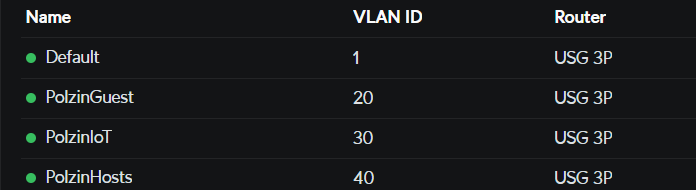
By carefully planning and mapping out both the physical and data aspects of the network, along with VLAN configurations, I was able to create a solid foundation for my advanced home network. This phase highlighted the importance of balancing cost, functionality, and future scalability.
Setup Process
To manage and monitor my network, I hosted the Unifi Network Application on a container within Proxmox, running on my Dell R320 server. This setup provided a robust and flexible environment for network management, allowing me to customize and control various aspects of my network.
In addition to the Unifi Network Application, I also hosted a Home Assistant container on the same Proxmox setup. Home Assistant played a crucial role in my network by hosting an AdGuard DNS server. This server was instrumental in blocking ads and enabling parental content monitoring and control, ensuring a safer and more streamlined internet experience for my household.
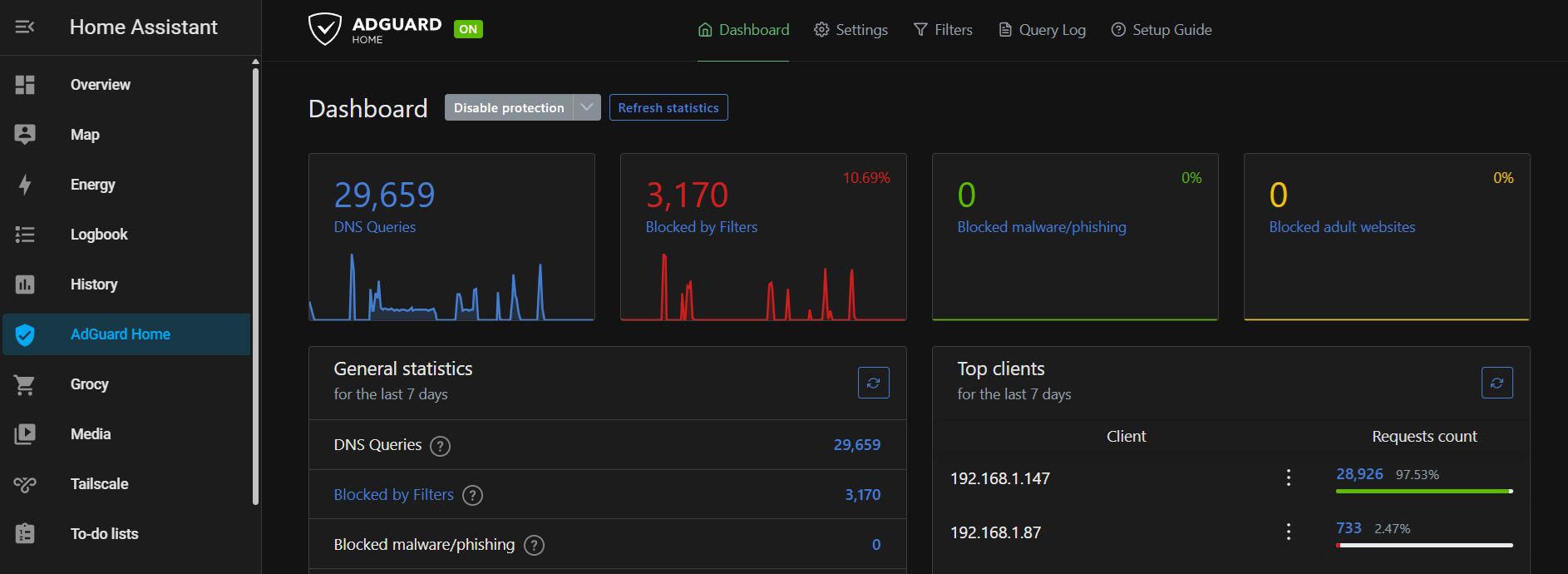
For switches, I set one up in the server rack that connects the Proxmox server, my Dell 2950 (which I am working on turning into a TrueNAS server), and a couple of smart home hubs. This switch is connected upstream to the switch in my living room, which connects to my living room TV, U6+ Access Point, the router, and my office switch. The office switch connects to my desktop, my wife’s desktop, and my Elegoo Neptune 4 FDM printer.
By leveraging Proxmox for container management and strategically placing switches throughout my home, I was able to efficiently run multiple applications on my Dell R320, optimizing both performance and resource utilization. This setup process highlighted the importance of using powerful tools and platforms to create a secure and efficient home network.
Challenges and Solutions
Throughout the setup process, I encountered several challenges that required troubleshooting and problem-solving. One significant issue was a bad network port on the server. This problem caused intermittent connectivity issues and required careful diagnosis to identify the faulty port. Once identified, I was able to replace the port and restore stable network performance.
Another challenge involved configurations on the Access Point (AP) that did not match what I had enabled on the Unifi Network Application. Specifically, the AP was rate-limiting traffic to 20 Mbps on the default network, even though I had only set this limit for the guest network. This discrepancy led to reduced network speeds and required investigation to pinpoint the cause. Ultimately, I had to remove the rate limit on the guest network to resolve the issue and ensure consistent performance across all devices.
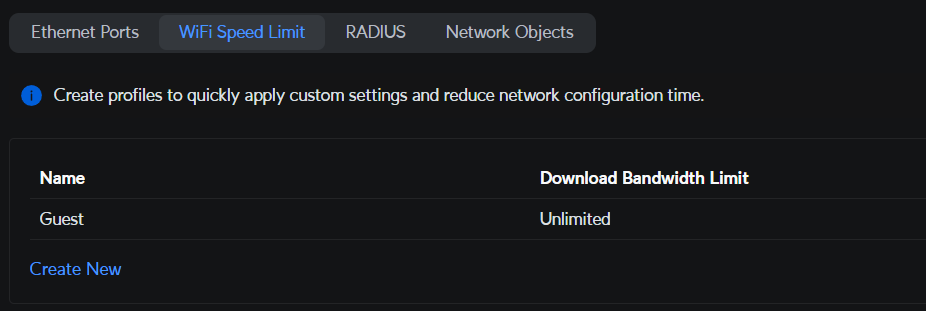
These challenges highlighted the importance of thorough troubleshooting and the need to verify configurations across all network components. By addressing these issues, I was able to optimize my network setup and ensure reliable connectivity for all devices.
Potential Integrations
As I continue to explore and expand my home network, there are several potential integrations that I am considering to further enhance its functionality and performance:
- Network Monitoring Tools: Implementing advanced network monitoring tools to gain deeper insights into network performance and proactively address issues.
- VPN Setup: Setting up a VPN to secure remote access to my network and protect data when accessing the internet from outside the home.
- Cloud Services: Integrating cloud services for backup and storage solutions, ensuring data redundancy and accessibility.
- Advanced Security Measures: Exploring additional security measures, such as intrusion detection systems (IDS) and intrusion prevention systems (IPS), to further safeguard the network.
These potential integrations offer exciting opportunities to enhance the capabilities of my home network and ensure it remains secure, efficient, and adaptable to future needs.
Conclusion
Creating an advanced home network has been a challenging yet rewarding journey. From the initial planning and setup to troubleshooting issues and optimizing performance, I have gained valuable knowledge and skills that have transformed my home network into a robust and efficient system. The support and guidance from my friend Joshua, along with the powerful tools provided by Unifi, have been instrumental in this process.
I hope that sharing my experiences, challenges, and insights will inspire and guide others in their own networking endeavors. Whether you’re a fellow learner or just curious about home networking, I encourage you to explore, experiment, and continuously seek improvement. The possibilities are endless, and the journey is well worth the effort.
Thank you for joining me on this adventure. Let’s continue to push the boundaries of home networking together!